





ulmhost
Administrators
-
Joined
-
Last visited
Files posted by ulmhost
-
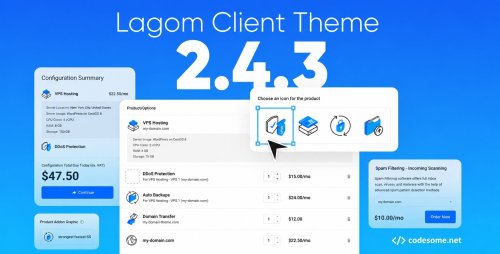
Lagom WHMCS Client Theme is a modern, clean, and user-friendly design template created specifically for WHMCS, a popular client management and billing platform for web hosting companies. The theme aims to enhance the user experience by providing a sleek and professional interface for clients to manage their accounts, view invoices, submit support tickets, and access other services seamlessly.
Lagom WHMCS Client Theme is a premium theme for WHMCS, the client management, billing, and automation platform widely used by web hosting companies. The theme replaces WHMCS's default client-area interface with a more modern, responsive, and customizable design.
Lagom WHMCS Theme features
According to its documentation and marketplace listing, Lagom includes:
Multiple layouts and page templates
Responsive design for desktop, tablet, and mobile
Style and color customization
Menu management tools
Homepage and landing-page customization
Dark mode support
SEO management options
Integration support for various WHMCS modules
Custom fonts and navigation styles
Client dashboards
Hosting and domain management pages
Order forms and checkout flows
Support ticket areas
Billing and invoice pages
Customizable layouts and color schemes
Intuitive navigation menus
Improved user interface elements
Faster load times and optimized performance
- 4 Downloads
-
Zhost v3 WHMCS Domain Hosting Responsive Template with WHMCS. Designed with latest Bootstrap. Zhost v3 provides multipage Responsive HTML5 Domain and Hosting Template with WHMCS Theme. Minimalist Flat Design. Highly customizable code. Sections includes Features, Pricing, Domain Search, Contact etc..
Zhost v3 WHMCS Theme Feature
Zhost v3 WHMCS Template contains the following features:
WHMCS 9.0.1 Compatibility
Working Domain Search and Transfer Domain
Nice and attractive design
SEO Friendly Code
Clean Coded Design
User-Friendly interface
Flat Design
Fully Customizable
Google Fonts
Contact Form
FontAwesome Icons
Retina Ready
Responsive Layout
Free Lifetime Updates
Well Documented
Clean and Simple Style
And much More!
- 4 Downloads
-
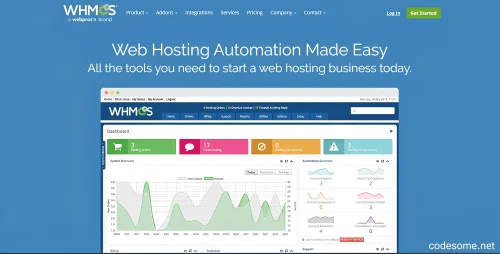
WHMCS (Web Host Manager Complete Solution) is a web hosting billing and automation platform designed to streamline and automate all aspects of running a web hosting business. It is particularly popular among web hosting providers, domain resellers, and IT service companies.
WHMCS - Web Hosting Billing Automation Script Features
Billing & Invoicing Automation
Automated Invoicing: Generates and sends invoices automatically.
Recurring Billing: Supports subscription-based billing (monthly, quarterly, yearly).
Multiple Payment Gateways: Integrates with PayPal, Stripe, Authorize.Net, Bitcoin, and more.
Tax & VAT Support: Configurable tax rules for different regions.
Late Fee & Overdue Notifications: Automated reminders for unpaid invoices.
Client Management
Client Profiles: Stores customer details, services, and billing history.
Self-Service Portal: Clients can manage services, update billing info, and submit tickets.
Custom Fields: Collect additional client information during signup.
Email Notifications: Automated emails for invoices, service renewals, and account updates.
Domain Registration & Management
Registrar Integration: Supports major registrars (e.g., Enom, OpenSRS, ResellerClub).
Domain Pricing Tiers: Set different pricing for TLDs and promotions.
Auto-Renewal & Transfers: Automates domain renewals and facilitates transfers.
DNS Management: Allows clients to manage DNS settings.
Hosting Automation
cPanel, Plesk, DirectAdmin Integration: Automates account provisioning/suspension.
Cloud & VPS Automation: Supports SolusVM, Proxmox, VMware, and more.
One-Click App Installer: Softaculous integration for easy script installations.
Server Monitoring: Tracks uptime and resource usage.
Support & Helpdesk System
Ticketing System: Centralized support with departments and canned responses.
Live Chat Integration: Supports tools like Tawk.to, LiveChat, etc.
Knowledgebase: Self-help articles for clients.
Announcements: Notify users about maintenance or updates.
Product & Service Management
Customizable Plans: Create hosting, VPS, SSL, and other service packages.
Addons & Configurable Options
Promotions & Discounts: Coupon codes, percentage discounts, and bulk pricing.
Bundled Services: Sell hosting with free domains or SSL certificates.
Security & Fraud Prevention
Two-Factor Authentication (2FA): For admin and client logins.
Captcha & Rate Limiting: Protects against spam and brute-force attacks.
Fraud Checks: MaxMind integration for fraud detection.
SSL Enforcement: Force HTTPS for admin and client areas.
Reporting & Analytics
Financial Reports: Revenue, expenses, and tax summaries.
Client Activity Logs: Track logins, transactions, and service changes.
Custom Reports: Generate CSV/PDF reports for business insights.
Multi-Language & Localization
Language Packs: Supports multiple languages (English, Spanish, French, etc.).
Currency Support: Multi-currency pricing and conversions.
API & Custom Integrations
Developer API: Allows custom integrations with third-party apps.
Webhooks: Real-time notifications for events (new order, invoice paid).
Zapier Integration: Connect WHMCS with 5,000+ apps.
Mobile-Friendly & Responsive Design
Admin & Client Area: Works on desktop and mobile devices.
Mobile Apps (Unofficial): Third-party apps for managing WHMCS on the go.
Marketplace & Addons
WHMCS Marketplace: Extensions for SEO tools, CRM, reseller modules, etc.
Custom Modules: Developers can create bespoke plugins.
White Label & Branding
Custom Branding: Remove WHMCS branding for resellers.
Email Templates: Customize emails with company logos and colors.
Compliance & Legal Tools
GDPR Compliance: Data export/deletion tools for EU customers.
Terms of Service & Privacy Policy: Configurable legal agreements.
Affiliate & Reseller System
Affiliate Program: Track referrals and pay commissions.
Reseller Support: Sub-account management for resellers.
Mobile Apps & Add-Ons
- 78 Downloads
-
Hostingard – is a versatile hosting WordPress theme seamlessly integrated with a WHMCS Template. This powerful combination offers a professional and user-friendly platform tailored for web hosting businesses. Effortlessly manage your hosting plans, domains, and client accounts with WHMCS’s robust billing and automation features. The theme provides a modern, responsive design ensuring your website looks great on any device. Customizable layouts, advanced theme options, and smooth WHMCS integration make it easy to create a stunning, functional website. Enhance your business operations with our all-in-one solution, perfect for delivering exceptional hosting services and a superior user experience to your clients.
Hostingard WordPress Theme Features
Ajax Domain Search
Added Elementor Templates Library
Built with elementor page builder
Codestar Framework
One Click Demo Import
RTL Supported
MailChimp newsletter
Contact Form 7 Support
Cross-Browser Compatibility: FireFox, Safari, Chrome
Flexible Colors & Typography
Fast Performance
Fully Responsive Layout
Powerful Theme Options
Right, Left and Dual sidebar options
Custom 404 page selection option
Seo Optimized
Google Fonts
Well Documentation
Based on Bootstrap
Based on jQuery
Unlimited color
Free Lifetime Updates
Professional Quick & Faster Support
And Much More…
- 4 Downloads
-
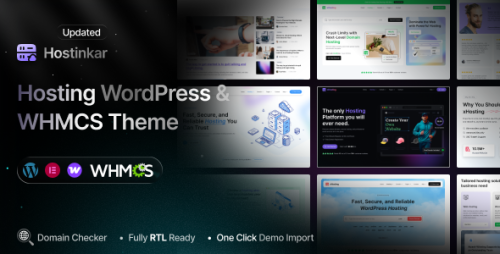
Hostinkar – Hosting WordPress & WHMCS Theme is a modern, high-performance solution built for web hosting companies, domain registrars, cloud service providers, and technology businesses. Designed with speed, flexibility, and conversion in mind, it combines a sleek, professional design with powerful functionality to help you showcase your services and grow your business.
With full WHMCS integration, you can seamlessly manage hosting plans, domain search, client accounts, and billing – all in one place. The theme is powered by Elementor for easy drag-and-drop customization, allowing you to create unique layouts without touching code.
Hostinkar WordPress Theme Features
Cross-Browser Compatibility: Chrome, Safari, Firefox, Edge, Opera
04 Different Demo Pages (New demos will be added every week)
Upload Author Custom Avatar
SVG Uploader
AJAX Domain Checker
Multi-Language (WPML) Support
Child Theme Included
Pagination
Built Based on Bootstrap v5.x
Built with HTML5 & CSS3
Clean and Modern Design
Elementor Page Builder
Fully RTL Ready
One-Click Demo Content Import
Powerful Theme Options with Codestar Framework
Lightweight & Easy Theme Options
Multiple Home Variations
Different Category and Post Layout Variations
100+ Elementor Custom Widgets
Translation Ready
Fully Responsive Theme
Easily Customizable
One-Click Demo Content Import
404 Error Page
No Coding Required
Sticky Header
FontAwesome 5 Pro Icons
Mailchimp Integration
Contact Form 7
Manual XML Importer
Google Web Fonts
Detailed Documentation
User-Friendly & Easy to Customize
Retina Display Ready
SEO Optimized
Quick Support
Detailed Documentation
- 1 Downloads
-
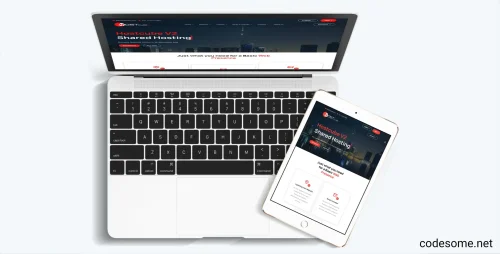
HostCube v2 WHMCS Child Theme is a specialized theme designed for the WHMCS platform, which is widely used for web hosting management. A "child theme" in this context refers to a customized version of a parent theme that inherits features and styles while allowing for modifications without altering the original code.
Specifically, the HostCube v2 WHMCS Child Theme provides a tailored, visually appealing, and user-friendly interface for hosting providers to showcase their services, manage branding, and enhance user experience. It typically includes custom layouts, styles, and functionalities that align with the HostCube design and branding guidelines.
Features of HostCube v2 WHMCS Child Theme
Features of HostCube v2 WHMCS Child Theme typically include enhancements and customizations designed to improve the appearance and functionality of WHMCS-based websites. While specific features may vary depending on the developer, common features of the HostCube v2 WHMCS Child Theme are:
Modern & Responsive Design : Adaptable layout that works seamlessly across desktops, tablets, and smartphones.
Customizable Layouts : Multiple layout options and flexible sections to tailor the look and feel.
Enhanced User Interface : Improved UI elements for a more engaging user experience.
Optimized Performance : Faster loading times and optimized code for better performance.
Compatibility : Works smoothly with WHMCS latest versions and popular plugins.
Unique Styling : Custom styles for headers, footers, forms, and other elements to match branding.
Easy Customization : Simple options for colors, fonts, and layouts without coding.
Child Theme Structure : Preserves customizations when updating the parent theme, ensuring stability.
Additional Widgets & Sections : Extra sections for banners, testimonials, pricing tables, etc.
SEO Friendly : Optimized for search engines to improve visibility.
- 2 Downloads
-
Hosting Hub - Responsive Hosting & Corporate Template is a website template designed specifically for hosting companies and corporate businesses. It features a modern, professional, and fully responsive layout that adapts seamlessly to various devices such as desktops, tablets, and smartphones.
This template typically includes essential website sections like homepage banners, service descriptions, pricing tables, client testimonials, team profiles, contact forms, and more. It is built with clean code and often uses popular web technologies like HTML, CSS, and JavaScript, making it easy to customize and deploy for your hosting or corporate website.
Hosting Hub WHMCS Child Theme Features
Hosthub template contains the following features:
Home Page Demos
Include WHMCS 8.13.x
W3C Valid HTML Pages
Nice and attractive design
SEO Friendly Code
Clean Coded Design
User-Friendly interface
Flat Design
Fully Customizable
Google Fonts
Contact Form
FontAwesome Icons
Retina Ready
Responsive Layout
Free Lifetime Updates
Well Documented
Bootstrap 5.x
Clean and Simple Style
Images are included
- 6 Downloads